
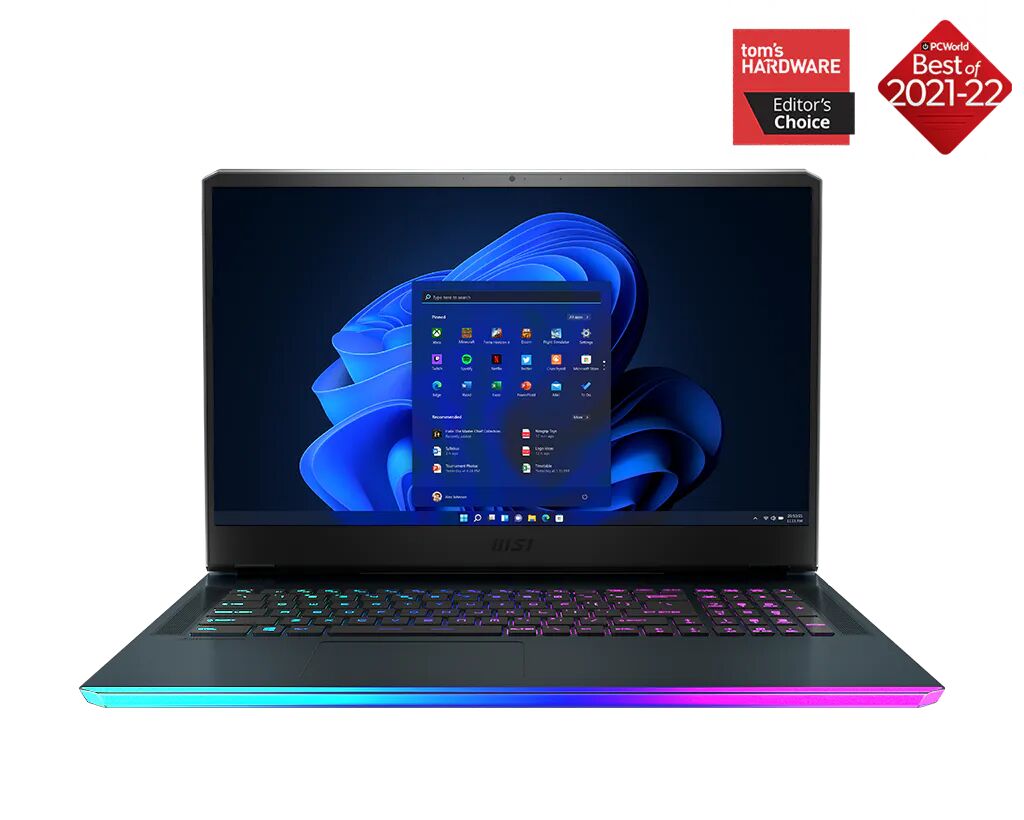
The MSI GE76 Raider may well be the most powerful gaming laptop released in 2021. This is the 17.3-inch variant, though MSI also produces a 15.6-inch version called the GE66 Raider for those who prefer a slightly more compact form factor. The 10th Generation Intel version was reviewed several months prior, and it already ranked among the quickest gaming laptops available at the time. With Intel’s 11th Generation Tiger Lake H45 processor inside, an overclockable Core i9 chip, and an RTX 3080 carrying a 165-watt TGP, the new iteration raises the bar considerably.
Pricing begins at approximately $2,600 for configurations featuring the Core i7 paired with an RTX 3070 and a 360Hz Full HD display. An RTX 3060 variant is planned at a lower price point, though exact figures were unavailable at the time of writing. The top configuration, which is the subject of this review, houses a Core i9-11980HK overclockable processor alongside the RTX 3080 with 16GB of VRAM and the aforementioned 165-watt power limit. Originally announced at 155 watts, MSI quietly released a VBIOS update that increased this ceiling after confirming the thermal solution could handle the extra load. This flagship model carries a price tag of around $3,400, placing it in direct competition with machines like the Alienware x17.
What Intel’s 11th Generation Brings to the Table
The transition to Intel Tiger Lake is not merely a clock speed bump. The new architecture introduces Thunderbolt 4 support, more PCIe lanes for faster GPU communication, and compatibility with PCIe 4.0 solid-state drives, which the review unit included. Whether the real-world speed advantage of PCIe 4.0 storage matters in everyday use is debatable, but having it available is a meaningful future-proofing feature.
More significantly, Tiger Lake represents Intel’s first move to a 10-nanometer manufacturing process. The smaller node typically delivers better power efficiency, which translates into improved battery life and reduced thermal output compared to the older, long-running Intel architectures that were notorious for running hot and draining batteries quickly. This shift puts Intel in a position to genuinely compete with AMD’s Ryzen platform for the first time in several years.
Chassis Design and Display Options
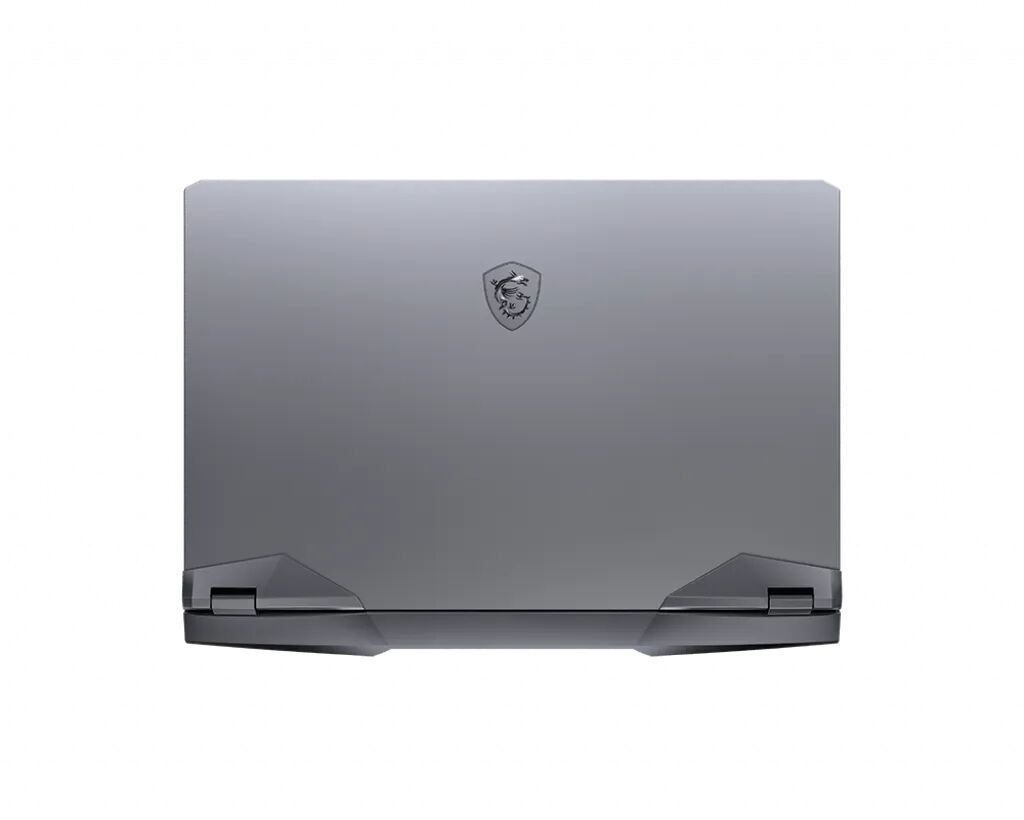
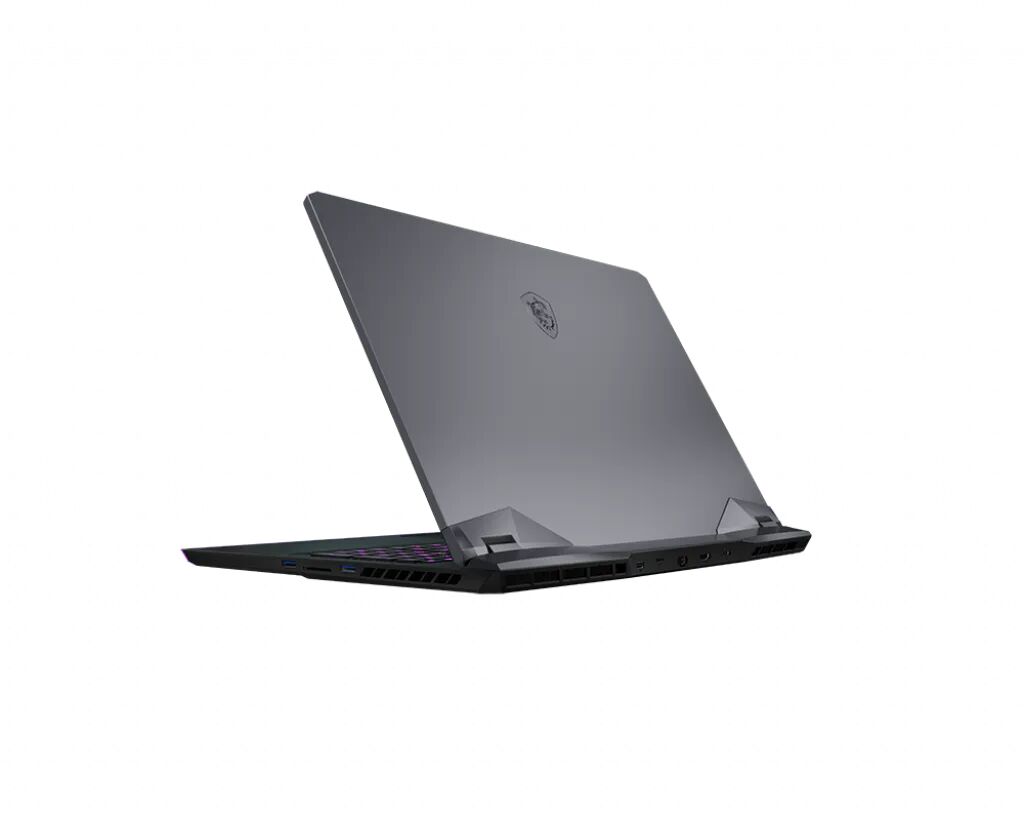
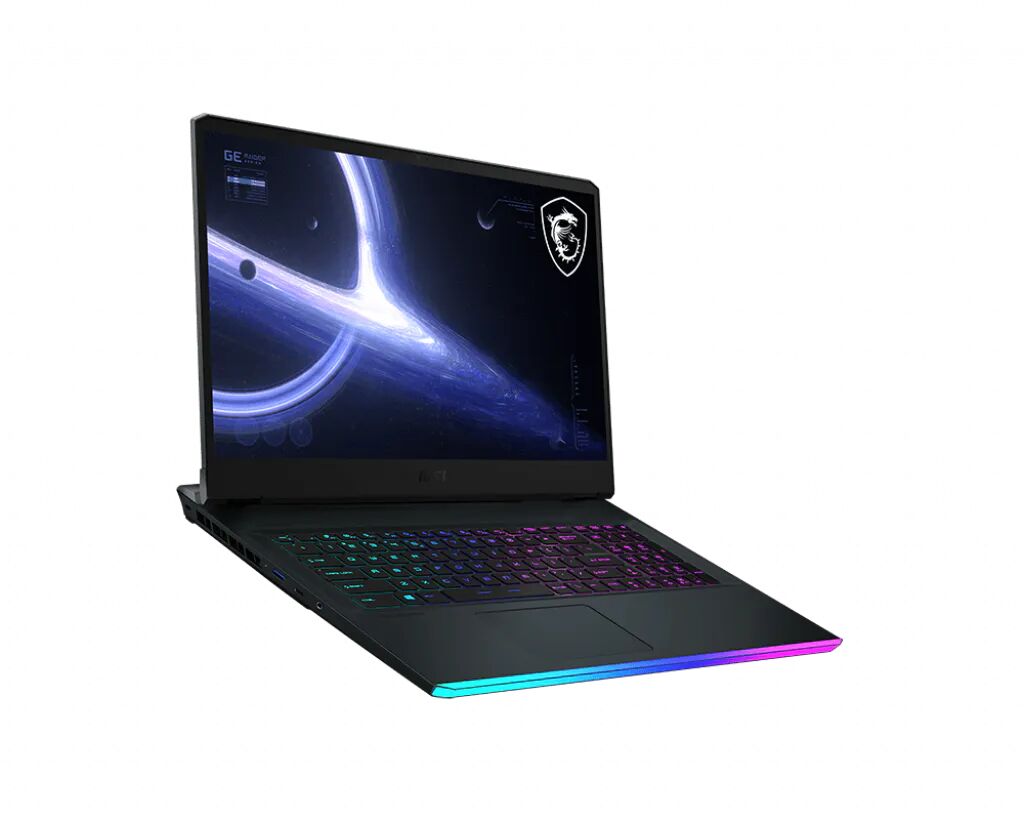
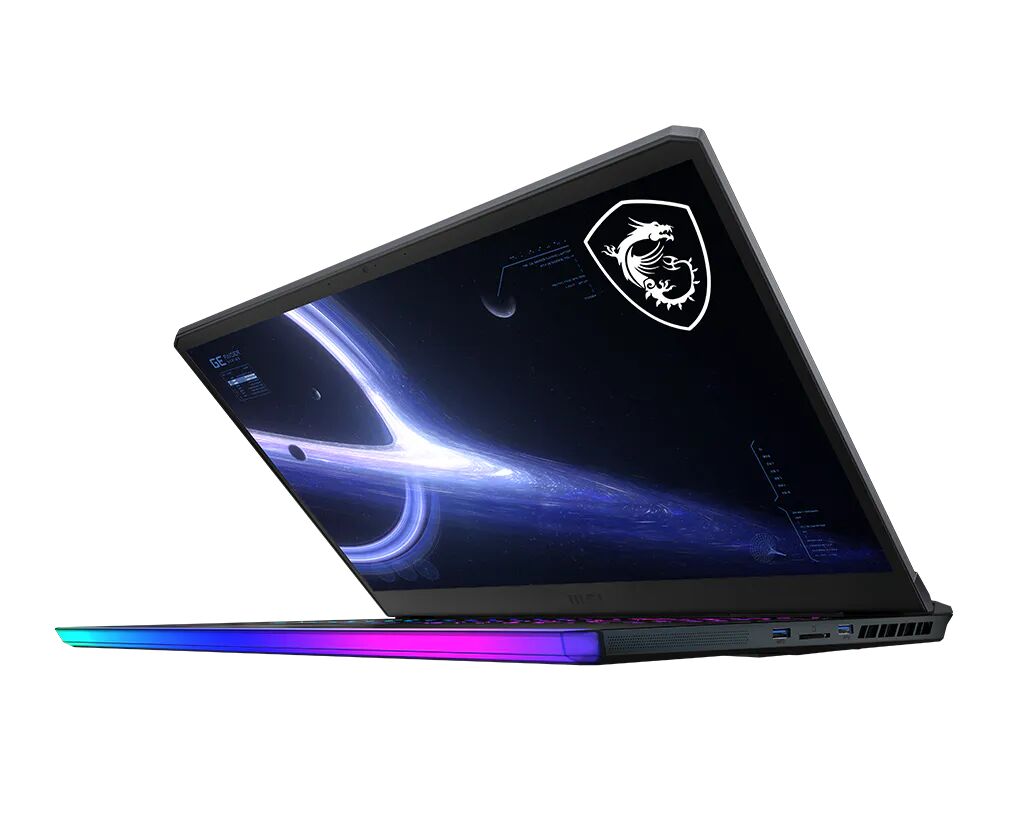
The GE76 Raider uses the same chassis introduced with the previous generation. MSI undertook a major redesign at that point and did not revise it again within the same product cycle. The aesthetic takes inspiration from spacecraft design, featuring angular lines and a distinctive silhouette. Functionally, the build quality is solid, and the SteelSeries keyboard that proved popular in the previous version returns unchanged, which is welcome news.
Display configurations have evolved slightly. The previous generation topped out at a 300Hz Full HD panel, while this version steps up to 360Hz still at Full HD resolution. Less expensive models are available with 144Hz panels, though MSI lists two versions of that option, one covering close to full sRGB and another with lower gamut coverage. The lower gamut panel would be worth avoiding. The 360Hz screen is well suited to competitive esports players who prioritise maximum frame rates in titles like CS: GO, but for players who gravitate toward RPGs and cinematic games, a QHD panel at 165Hz would be the more satisfying choice in terms of visual sharpness. Unfortunately, a shortage of suitable QHD laptop panels means ASUS’s ROG Strix SCAR 17 is currently one of the few machines to offer that configuration in any meaningful volume. A 4K option, as seen in past MSI models, has not been confirmed for this generation.
One note regarding display behaviour out of the box: the review unit initially showed unusually low brightness readings well below 200 nits, which is obviously incorrect for a machine of this calibre. Resolving it required adjusting settings within MSI Center, the software that replaces the older Dragon Center application, toggling between GPU modes, and working through the MSI True Color profiles until the display performed correctly. Once resolved, disabling MSI True Color prevented it from interfering again. Anyone encountering a dim display after purchase should work through these settings before concluding the hardware.
Switchable Graphics and Software
The GE76 Raider supports switchable graphics, a topic of considerable interest among gaming laptop enthusiasts in 2021. Using MSI Center, users can toggle between hybrid Optimus mode and dedicated GPU-only mode. The switch requires a system reboot rather than operating on the fly as Nvidia’s Advanced Optimus technology allows, but the option is there. In Full HD gaming, particularly in competitive titles, the performance difference between modes can be measurable. At QHD resolution on an external monitor, the gap between modes tends to close, and in heavily GPU-bound games like Cyberpunk 2077 the distinction becomes minimal regardless.
MSI Center itself is a notable improvement over Dragon Center, which had attracted widespread criticism for its dated interface and unintuitive controls. The new software handles fan curve customisation, GPU mode switching, and performance profile selection in a cleaner and more approachable package.
Internal Hardware and Upgradeability
The internal layout mirrors the previous generation. Two DDR4 RAM slots support configurations between 16GB and 64GB at 3,200MHz. The review unit came with well-timed RAM, a detail that matters given ongoing memory availability issues. Two M.2 SSD slots are fitted, with one occupied by a 1TB NVMe drive out of the box, leaving the second available for expansion. Both slots accept standard 2280-length drives.
Networking is handled by Killer Wi-Fi 6E, which is in practice an Intel card, alongside Killer E3100 2.5 Gigabit Ethernet for wired connections.
Port selection benefits from the larger chassis. Three USB-A ports, one Thunderbolt 4 port, one USB-C 3.2 Gen 2 port, a headphone jack, HDMI 2.1 for 4K output at 120Hz, a Mini DisplayPort 1.4, and a full-size SD card slot are all present. The port layout is one of the more thoughtful arrangements in its class. Connections that benefit most from staying out of the way, including the power connector and Thunderbolt port, are routed to the rear of the machine. Frequently accessed ports such as USB-A and the headphone jack sit on the sides for easy reach. The front edge features MSI’s Mystic Light RGB strip, and the SteelSeries keyboard offers per-key RGB programming for those who want to customise the lighting.
Keyboard, Trackpad, and Speakers
The SteelSeries keyboard remains one of the more satisfying typing and gaming keyboards available on a laptop. It is a membrane design rather than a mechanical one, so it lacks the tactile click of the mechanical keyboards now offered by Alienware and certain ASUS ROG models, but it is comfortable, quiet, and responsive. A numpad is included, as expected on a 17-inch machine.
The trackpad uses Microsoft Precision drivers and is serviceable. It is somewhat small by current standards and does not reach the heights of what ASUS ROG and Razer are currently providing on their flagship models, but it is a significant improvement over earlier MSI trackpads and functions without issue.
Audio is a genuine strong suit. Four speakers, including two woofers and two full-range drivers, combine to produce sound that sets a high bar for gaming laptops. Bass is present, stereo separation is clear, and the volume ceiling is generous. Nahimic 3 audio software allows customisation of bass, treble, and voice clarity independently, which is especially useful for those who want to balance music and in-game dialogue. A 1080p webcam is also included, which compares favourably to the lower-resolution cameras that still appear on many competing machines.
CPU and GPU Performance
The generational improvement in CPU performance is real and meaningful. Compared to the overclockable Core i9 from the 10th Generation Intel platform, the 11th Generation chip delivers up to a 20% improvement in CPU-intensive workloads. More impressively, performance now sits alongside the AMD Ryzen 9 5900HX, which had until recently held a clear lead over Intel in laptop CPU performance. The gap has closed considerably.
In gaming, something particularly interesting happens. While benchmark tests can push CPU temperatures into the upper 90s Celsius, in actual games the thermals are well managed, and the system holds high clock speeds comfortably. Intel’s Dynamic Boost technology, which dynamically balances power between the CPU and GPU depending on workload, appears to be working effectively here.
One quality control issue affected the review unit. Upon opening the chassis, the GPU was found to have thermal paste applied only to half of the die surface, and the CPU paste was concentrated toward the edges rather than the centre. Replacing both with a quality compound resolved the problem immediately, and GPU temperatures normalised. This is a reminder that even premium laptops can occasionally leave the factory with imperfect assembly, and buyers who are comfortable opening their machine should consider checking the thermal interface if temperatures seem unexpectedly high.
All benchmarks in this review were run with the factory overclock settings untouched and no undervolt applied, to reflect the experience a customer would have straight out of the box running MSI’s Extreme Performance mode.
Comparing to AMD: A Close Race
A direct comparison against the ASUS ROG Strix SCAR 15, which carries a Ryzen 9 5900HX and an RTX 3080 at 130 watts, provides useful context. The two machines trade blows depending on the title. In Assassin’s Creed Valhalla, results were essentially identical. In Shadow of the Tomb Raider, the ASUS edged slightly ahead at identical settings. In Cyberpunk 2077, the GE76 Raider pulled ahead by roughly ten frames per second with ray tracing and DLSS enabled. The MSI’s advantage here is attributable to two factors: its higher 165-watt GPU power limit versus the ASUS’s 130 watts, and the less thermally constrained larger chassis.
Cooling Architecture and Fan Behaviour
The internal cooling design is traditional rather than cutting-edge. There is no vapour chamber, no liquid metal, and no exotic materials. What MSI provides is a conventional heatsink arrangement with triple fans and heat pipes, and it works. The simplicity of the layout is actually an advantage for maintenance. Removing the heatsink assembly requires only a few screws on the fans and heatsink, after which cleaning and repasting are straightforward. There are no inverted motherboards or complicated disassembly procedures involved, and this accessibility has always been one of the GE76 Raider’s practical strengths.
Fan noise is modest given the performance level. Even at maximum load during gaming at QHD resolution on Ultra settings, running Cooler Boost mode, which maximises fan speed, was not found necessary. The Extreme Performance mode with a slightly adjusted fan curve kept things under control. Fan tone is somewhat high-pitched for a large chassis, but not at an obtrusive level. Balanced mode is noticeably underpowered and is not recommended for sustained workloads.
For those wanting to push further, GPU overclocking is available within MSI Center. CPU overclocking requires enabling an option in the BIOS via a key combination first, after which Intel XTU or Throttlestop can be used. Undervolting up to around negative 80 millivolts is possible and provides a modest temperature reduction.
Battery Life and Charging
The GE76 Raider carries a 99.9Wh battery, the maximum capacity permitted on commercial aircraft and identical to what the previous generation offered. The included charger operates at 280 watts, which is more manageable to carry than the 330-watt bricks found in some competing machines.
Intel’s more power-efficient 11th Generation architecture appears to contribute to reasonable battery life for a machine of this class. In switchable graphics mode, running light workloads such as office applications and video streaming at 150 nits of brightness, roughly four hours of use is achievable. This is a meaningful improvement over earlier Intel-based gaming laptops that routinely struggled to reach two hours.
Final Assessment
The MSI GE76 Raider with Intel 11th Generation hardware earns its place among the top gaming laptops of 2021. The combination of an overclockable Core i9, an RTX 3080 with a 165-watt power limit, Thunderbolt 4 connectivity, excellent audio, and a practical interior layout makes for a compelling high-performance package.
The most significant shortcoming is the absence of a QHD display option. The 360Hz Full HD panel is excellent for competitive esports use, but pairing that much GPU power with a 1080p screen feels like a mismatch for players of visually demanding titles. Hopefully a higher-resolution panel option becomes available as supply normalises.
Quality control inconsistencies at the thermal interface level are worth noting, and buyers who notice unusually high temperatures should consider investigating the thermal paste application. Overall, however, the GE76 Raider delivers strong gaming performance with good in-game thermals, a traditional and serviceable cooling architecture, and an accessible interior. For those who waited out the 10th Generation model, the upgrade is worthwhile.