
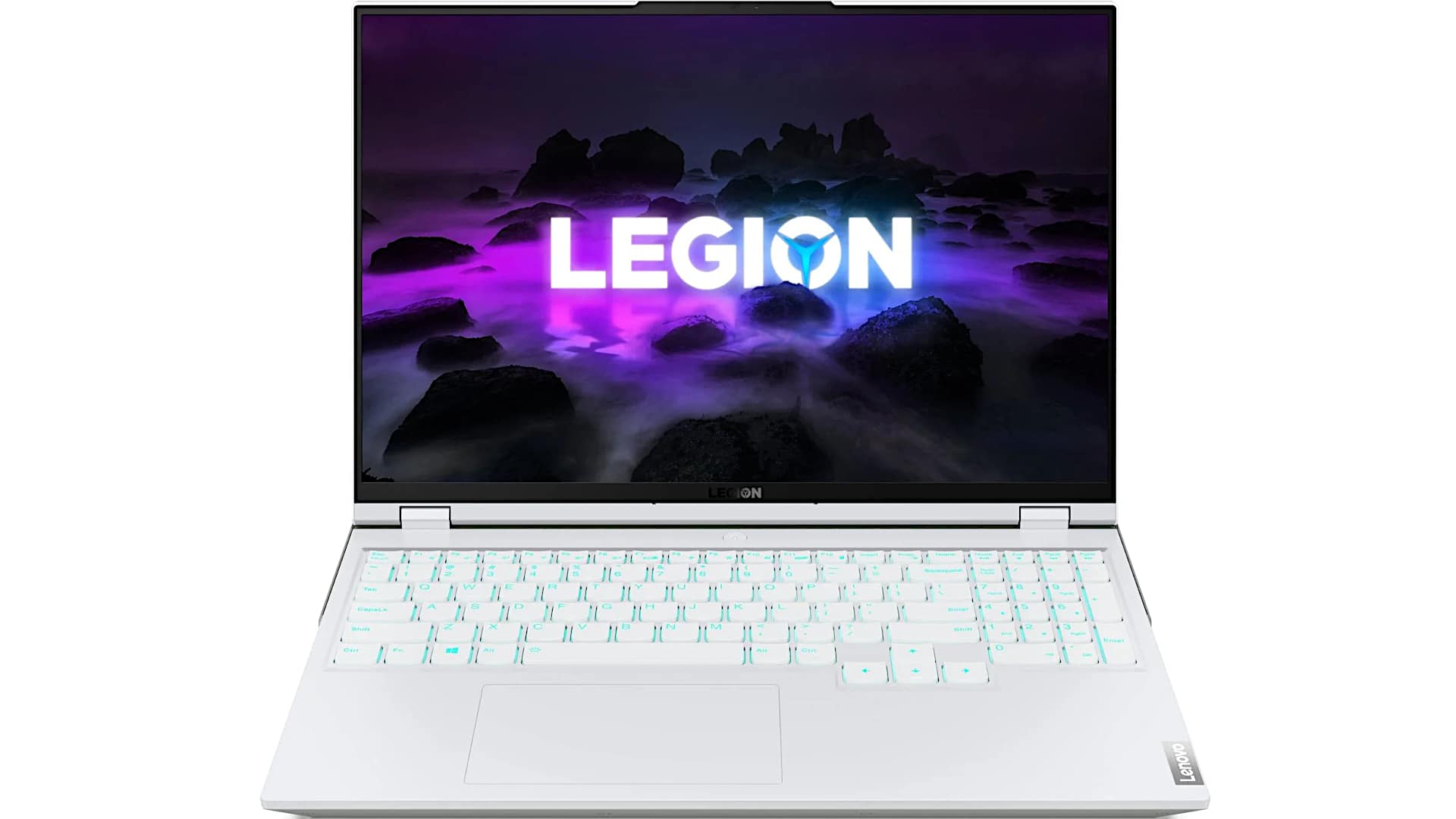
In this article, I give you my Lenovo Legion 5 Pro review with specs included. I’ve been waiting a while to get this in for review. At the time of writing this, it was not out in the US and EU, but it’s been out in some Asian countries for several weeks. For the US and EU markets, it came officially in June of 2021, for those who are wondering.
So what’s the big deal about this laptop? Well, Lenovo Legion gaming laptops have been around for a while, but they’re finally just getting it right. It takes several years, often, to make a product line before you really hit your stride.
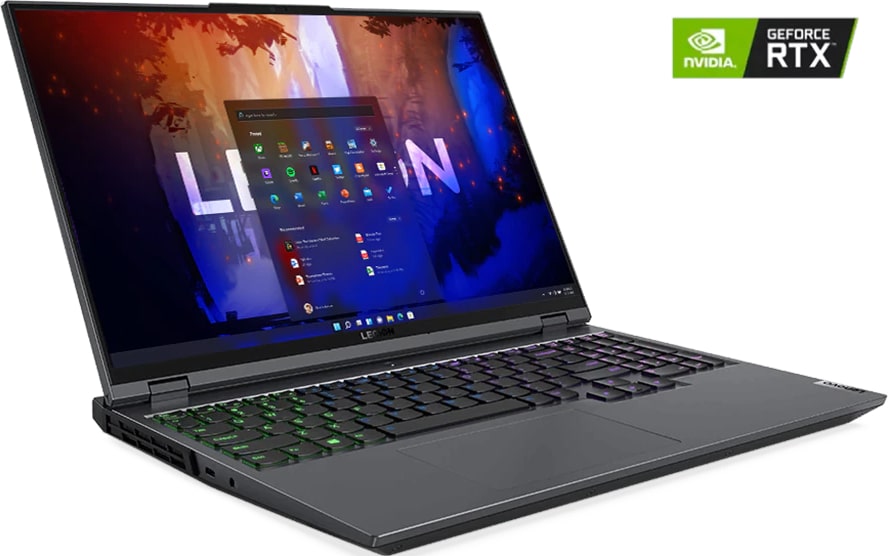
Lenovo Legion 5 Pro has a QHD+ display with a 16: 10 aspect ratio on board. Also, we have Ryzen, which is the latest hotness, and for a reason, it runs cool, and it runs fast. So, in this laptop, there is a Ryzen 7 5800H processor.
Of course, in video graphics, you got your choice of an RTX 3060 or RTX 3070. And those are Max-P wattages, not Max-Q, for good performance, and there’s a lot more to talk about.
There are a couple of different models of the Lenovo Legion 5 Pro; let’s talk about that.
First, the Legion 5 Pro is the slightly ‘gamery’ looking model, but it’s still relatively speaking on the chill end of ‘gamery’.
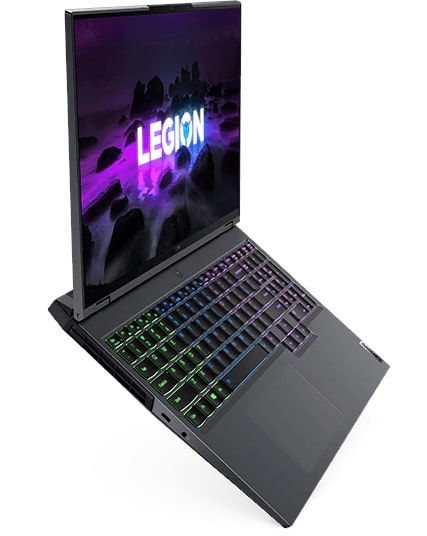
Yes, you have the Legion logo, which I think is supposed to be a Roman legion’s helmet kind of thing, not an upside-down Mercedes logo. I don’t have any issues with it. Compared to a dragon head logo on an MSI, it’s not that out there. There’s no RGB body lighting on this, so that’s about as bling-tastic as you get.
So, this one has one of the 16: 10 aspect ratio displays; that’s one of the things that sets it apart.
Also, there is the Legion 5, not Pro, which is a bit less expensive, and then there’s the Legion 7, which is kind of the upsell of Legion 5 Pro. It is also a 16-inch laptop, just like the 5 Pro, with a QHD display, but that one goes up to Ryzen 9. Also, you can go up to the RTX 3080, where the 5 Pro stops at the RTX 3070.
And, yes, there are Intel versions with Intel 11th gen of all these from Lenovo and the Legion line too. So, we’ll see after I test those how they compare to the Ryzen models, all that sort of thing.
Obviously, Lenovo Legion 5 Pro competes with the Alienware M15 R5 that I just reviewed and also the Asus Rogue Strix line. Let’s not forget to add that the Legion 5 Pro one has a webcam and not just that, it actually has a webcam privacy switch because it’s got Lenovo ThinkPad DNA going on too, so you get a little privacy and a little security there.
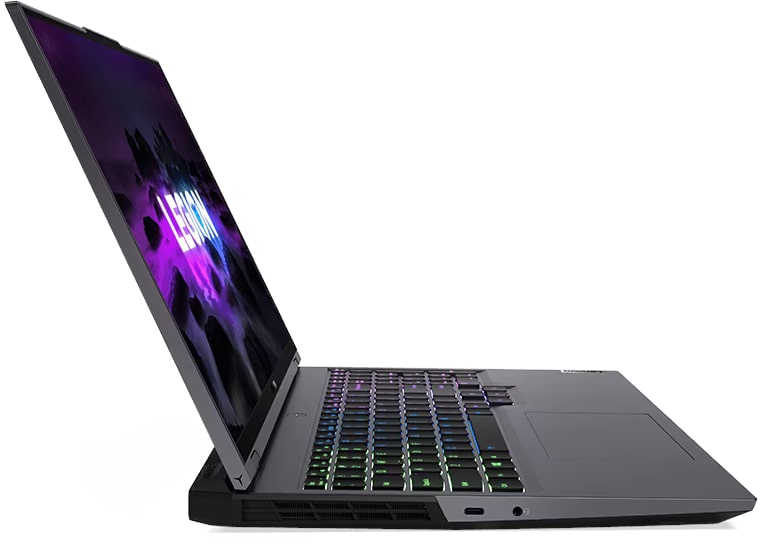
We have an aluminum chassis here, and the build quality on this is quite nice. Lenovo does improve every generation, considering. That they’re keeping the price I won’t say budget; I mean this is not a sub-thousand-dollar laptop because the specs are too high for that.
But they keep the prices down by not going too crazy with fancy build qualities. You’re not going to get a zeus rogue Strix scar removable back plates that you can customize out of the box, or translucent keyboard decks and all that sort of thing.
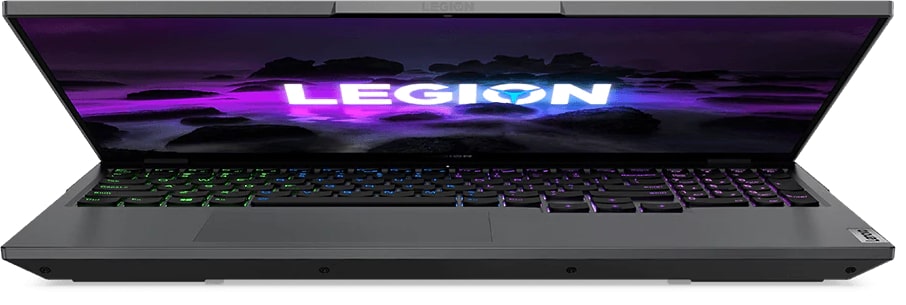
But you are getting something that feels pretty rigid and pretty well made without any creaky seams. And I know there’s gonna be some of you in the comments who said I bought last year’s Legion 7 and the hinge failed. And that sucks if it happened to you, and I’m sorry to hear that, but Lenovo does say they have redesigned the hinges for this year’s model.
So that shouldn’t be a problem anymore. It’s available in our Storm Gray color, which kind of has blue undertones a little bit. It’s fine looking, and there’s a stingray white, which i it’s up to you. I mean, at first it seems cool, but to me it makes it look a little chunkier, and it is nearly about an inch thick. So it’s not a super skinny laptop. Weighs 5.4 pounds, which is 2.45 kilograms.
So it’s about typical for a 15-inch non-ultra thin and light gaming laptop in that respect. It somehow feels a little heavier than that even though it’s not. I don’t know, it’s the density of it. Being a 16-inch laptop is interesting because it is, well, sort of between a 15 and 17-inch laptop in terms of size.
When I’m using it, because of the bigger screen and the added little bit of height you get with that 16 by 10 aspect ratio display, it feels much like using a 17-inch, visually speaking, for looking at that screen, which is nice. In terms of portability, it’s not so far off from the 15-inch laptops on the market that I feel like it’s a horrible carry or something like that, but you know.
Design and Port Layout
The Lenovo Legion 5 Pro occupies a different space in the gaming laptop market than something like the Asus ROG Zephyrus G15, which is a lighter, more ultrabook-influenced machine. The Legion 5 Pro leans into a more traditional gaming laptop identity, though it does so with a degree of restraint that will appeal to buyers who find most gaming laptops visually overwhelming.
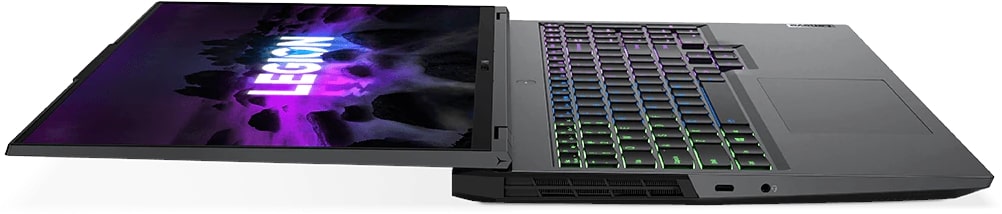
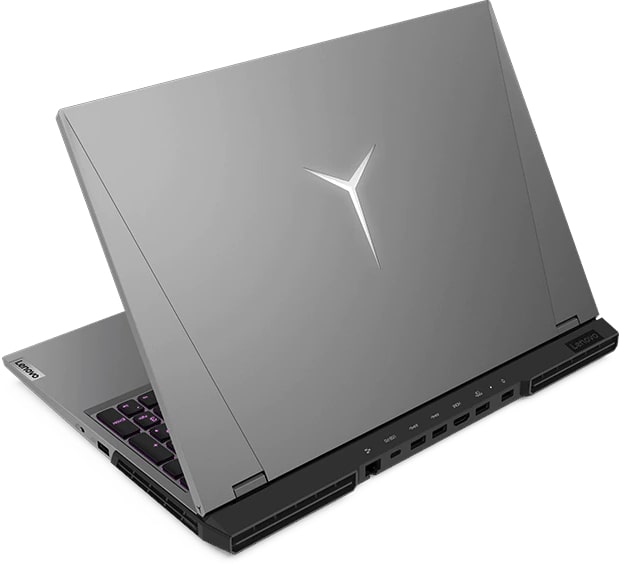
One design decision worth noting is that the majority of ports are located along the rear of the machine rather than the sides. Some users may find this inconvenient if they prefer quick side access to USB ports, and there is indeed only a single USB-A port on the right side with three more positioned at the back. That said, Lenovo has addressed the organizational challenge this creates by printing small labeled icons near each port position, making it easy to identify connections at a glance. For anyone who has spent time cycling through gaming laptops where rear-mounted ports are a guessing game, this is a small but genuinely useful touch that improves the day-to-day experience.
The keyboard features four-zone backlighting rather than full per-key RGB, which will satisfy most users and may disappoint those who insist on having each individual key lit in a different color. Aside from the logo on the lid, there is no additional body lighting to speak of, giving the Legion 5 Pro a comparatively calm appearance for a gaming machine. All lighting and system management is handled through Lenovo’s Vantage software, a platform familiar to users of Lenovo’s business laptop lineup. Its presence on a gaming machine feels slightly unexpected, but it functions adequately. Users who want granular control over GPU overclocking and custom fan profiles should be aware that Lenovo’s approach here relies on its AI-driven performance management system and Nvidia’s Dynamic Boost 2.0 technology to handle those adjustments automatically. For those who prefer manual control, third-party tools like MSI Afterburner remain available for GPU overclocking.
Processor and General Performance
The Legion 5 Pro is powered by AMD’s Ryzen 5000 series processors, specifically the Ryzen 7 5800H, an eight-core chip built on AMD’s Zen 3 architecture. For those considering the step up to the Legion 7, that model is available with the slightly higher-tier Ryzen 9 5900HX, but the real-world performance gap between the two chips is modest enough that it should not be a deciding factor for most buyers, particularly when budget considerations come into play.
Performance across the board is excellent. The combination of Zen 3 architecture and the seven-nanometer manufacturing process means the 5800H delivers strong results while generating less heat than competing Intel solutions. At the time of this review, Intel’s 11th Generation processors were still being benchmarked for comparison, but based on Intel’s continued use of a 10-nanometer process, AMD was expected to maintain a thermal advantage. All benchmarking and gaming testing for this review was conducted on the high-performance profile, which is selectable using the function key shortcut printed on a label above the keyboard.
Cooling and Thermal Performance
Cooling is arguably the strongest aspect of the Legion 5 Pro, and it deserves particular attention. The internal heatsink assembly is substantial, featuring what appears to be a vapor chamber design with extensive metal coverage. The fans are oversized by gaming laptop standards and engineered to produce a broad, low-pitched airflow sound rather than the high-pitched whine or screech that plagues many competing machines. Under heavy gaming load, the fans are audible but not intrusive, and certainly not the kind of noise that interferes with gameplay audio or communication.
During testing with demanding AAA titles including Cyberpunk 2077 at ultra settings with DLSS and ray tracing enabled, CPU temperatures held around 79 degrees Celsius, and the GPU typically ran between 75 and 76 degrees. These are very good numbers for a gaming laptop under that level of load, and they compare favorably to several other machines in the same category. While it is not quite as quiet as the Asus ROG Strix SCAR 15, which is exceptional in its noise management for a gaming laptop, the Legion 5 Pro is quieter than most competitors, particularly those running Intel’s 10th Generation hardware.
Lenovo had initially announced plans to use liquid metal thermal compound on some Legion models, but this was ultimately not implemented, reportedly due to concerns that end users attempting to repaste the system might risk shorting the motherboard if the liquid metal was not cleaned off with sufficient care. Given the temperatures achieved with conventional thermal compound, the omission is easy to accept.
Display
The Legion 5 Pro comes with a single display option: a QHD Plus panel with a 16:10 aspect ratio. The taller screen ratio provides more vertical space than the 16:9 standard, which is a genuine benefit for productivity use and proves accommodating for most modern games, which typically support the resolution natively rather than simply stretching the image.
The display itself is excellent. Lenovo claims 500 nits of peak brightness, and our measurements came in slightly above that at 531 nits, which is unusually bright for a gaming laptop in this category. Most machines in this segment prioritize performance power over display brightness, since gaming tends to happen indoors in controlled lighting, but having that extra brightness available is useful for anyone who occasionally works in a well-lit environment or simply prefers a vivid image.
Refresh rates are high and response times are fast, as you would expect from a panel designed with gaming in mind. Color coverage reaches full sRGB and competes well with other premium gaming laptops on the market, though it does not achieve the wider P3 color gamut found on the Asus ROG Strix SCAR 15 or the Zephyrus G15. HDR 400 certification is present but is not a particularly demanding standard and adds little meaningful practical value. G-Sync support, however, is a genuine benefit for smooth gameplay and is a welcome inclusion. No PWM flickering to report, which is good news for users sensitive to that issue.
Keyboard and Input
The keyboard is zone-backlit and serviceable for gaming use, though it does not rank among the best in its class for typing feel. Key travel is relatively shallow and the tactile feedback, while present when keys are fully depressed, is not particularly satisfying for extended typing sessions. Users who prioritize keyboard quality, whether for work or for the tactile satisfaction of a good typing experience, will find better options on machines like Lenovo’s own ThinkPad line, certain Asus ROG models, MSI’s Steel Series keyboards, or the mechanical and hybrid options offered by Alienware and select Asus laptops. For gaming inputs, it performs adequately, but it is not a standout feature of this machine.
Speakers and Audio
Audio is handled by a pair of two-watt Harman-branded speakers with Nahimic 3 software, the same audio solution that MSI has employed across several of its gaming laptops. The speakers get reasonably loud and avoid the thin, hollow character of the worst gaming laptop speakers, but they lack meaningful bass response and do not deliver anything remarkable. They are functional for casual use and gaming, but audiophiles or anyone who cares about sound quality will want to connect external speakers or a headset.
Connectivity and Ports
Port selection on the Legion 5 Pro is well-rounded. USB connectivity includes four USB-A ports in total, one on the right side and three at the rear, as well as two USB-C 3.2 Gen 2 ports with DisplayPort support. The rear-positioned USB-C port also supports power delivery. HDMI 2.1 is included and connects directly to the Nvidia discrete GPU rather than through the Intel integrated graphics, which is a benefit for users connecting to high-refresh-rate or high-resolution external displays. Wired networking is covered by a Gigabit Ethernet port, and a headphone jack handles audio output. Wireless connectivity is provided by an Intel Wi-Fi 6 AX-200 card with Bluetooth 5.1, and both the Wi-Fi card and the storage are socketed and upgradeable.
Upgradability and Internal Access
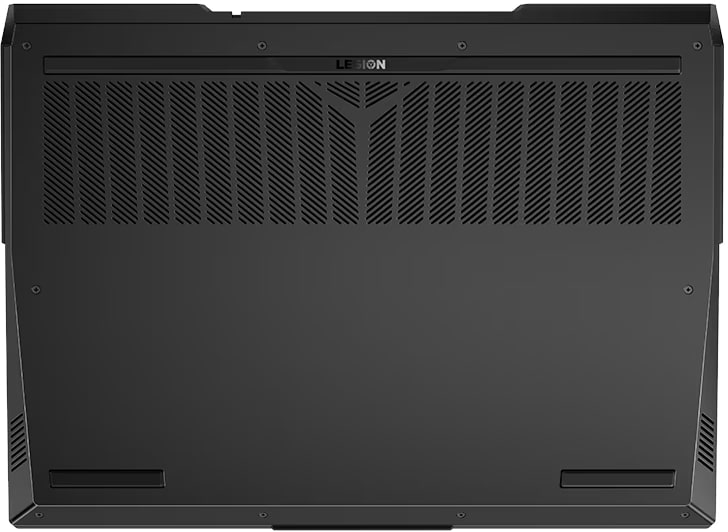
Getting inside the Legion 5 Pro is a matter of removing the bottom cover, which is secured by Phillips head screws. There are some plastic clips to navigate around the perimeter, but the process is not overly complicated. Once inside, the layout is clean and accessible. Two DDR4 3200MHz RAM slots are present and support up to 64GB of total memory. Our review unit came with 16GB installed. Two M.2 NVMe SSD slots are available, with one populated on our configuration carrying a 512GB drive. The entire cooling assembly is also visible and replaceable from this position, which is convenient for users who want to perform maintenance or thermal repasting down the line.
Battery Life and Charger
Battery life on a gaming laptop is always a compromise, and the Legion 5 Pro with its 80-watt-hour battery manages around six hours of mixed use, including productivity tasks, video streaming, and light creative work at 200 nits of brightness. AMD’s display power-saving technology was disabled for testing, as it tends to have a limited impact on battery duration while noticeably reducing color richness and display brightness, which is not a trade-off worth making.
Six hours is a respectable result for a gaming laptop and is competitive with the Alienware M15 R5. It trails the Asus ROG Strix and Zephyrus models, which benefit from slightly larger 90 watt-hour batteries, but it is far from poor.
The charger that ships with the Legion 5 Pro is a 300-watt unit, which is larger than the 230 or 240 watts initially announced at the product’s reveal. Interestingly, it is the same adapter bundled with the higher-specced Legion 7. The charger is on the heavier side and larger than what Asus ships with its comparable laptops, though its physical footprint is broadly similar to Alienware’s 240-watt adapter. It is not something most users will carry daily unless they need to charge away from home, but it is worth factoring into the overall package weight if portability matters.
Final Verdict
The Lenovo Legion 5 Pro launched in the United States in June 2021 starting at approximately $1,599, and at that price it delivers a genuinely compelling combination of attributes. The Ryzen 7 5800H processor is fast and efficient, the QHD Plus display is bright, sharp, and well-suited to both gaming and productivity use, and the cooling system is one of the best in its class. Temperatures under heavy load are well-managed, fan noise is tolerable, and the build quality feels solid throughout. The keyboard and speakers are adequate without being exceptional, and battery life holds up reasonably well for a machine in this performance category. For buyers looking for a high-performance gaming laptop with a beautiful display and excellent thermals at a competitive price, the Legion 5 Pro is a strong recommendation.
Lenovo Legion 5 Pro
-
Performance - 96%96%
-
Price - 94%94%
-
Value - 95%95%