
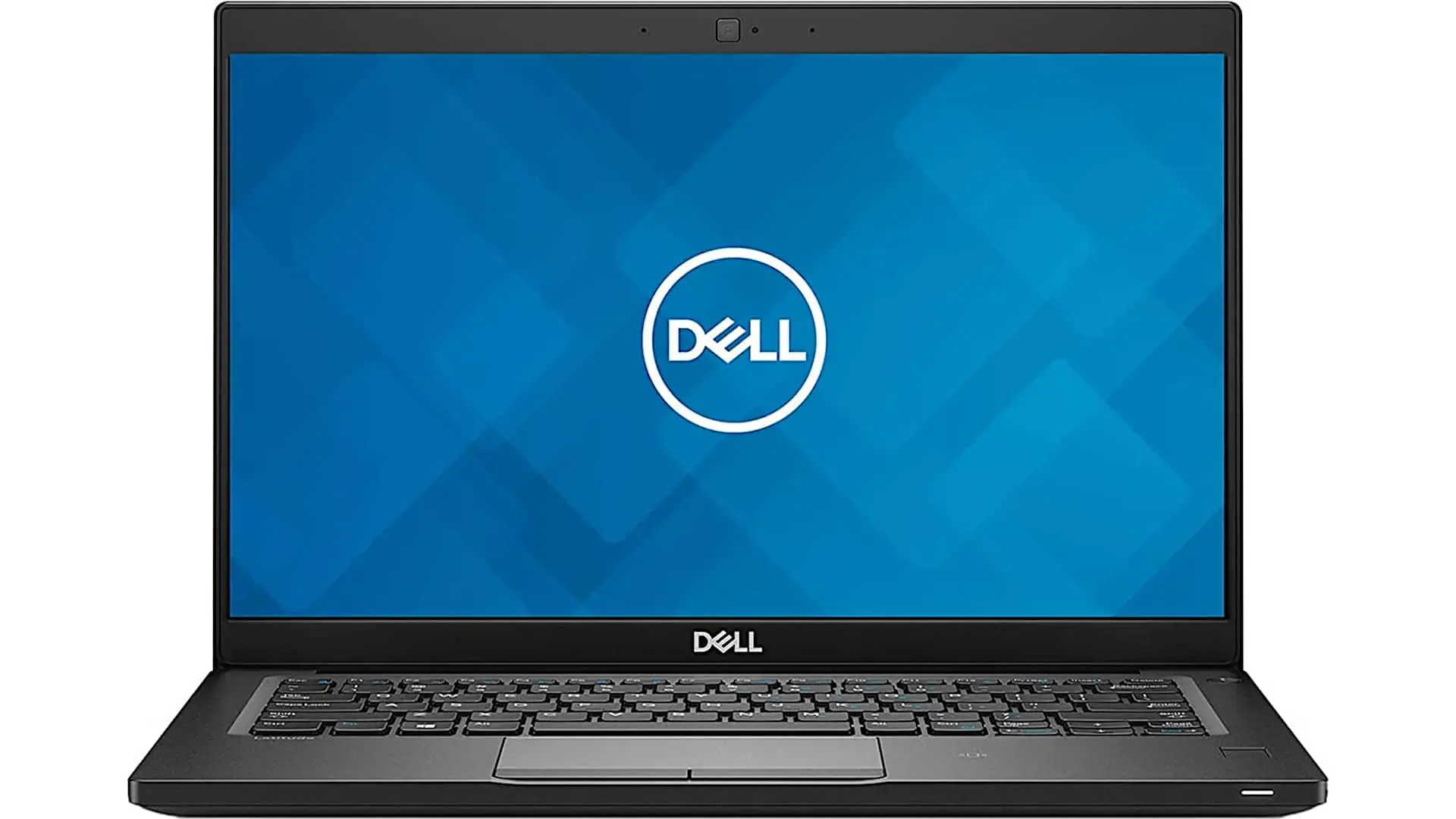
In this review, we take a look at the Dell Latitude 7390 and its specifications. At first glance, it closely resembles a model we covered a couple of months earlier—and for good reason. It’s essentially an updated version of the Latitude 7390 2-in-1, now equipped with Intel’s 8th-generation processors while retaining the same durable, compact design.
The Latitude 7390 combines a rugged, soft-touch black chassis with a footprint similar to the Dell XPS 13. Unlike the XPS 13 2-in-1 models that use lower-power Y-series processors, this machine features full-powered Intel Core i5 and Core i7 quad-core 15W CPUs, putting it in direct competition with premium business convertibles such as the Lenovo ThinkPad X1 Yoga and HP’s Elite series.
Design and Build Quality
This 13.3-inch convertible packs a surprisingly small footprint, closer to that of a traditional 12-inch laptop. As part of Dell’s premium Latitude 7000 lineup, it emphasizes durability and professional-grade construction.
The sturdy 360-degree hinges feel exceptionally firm, reinforcing the laptop’s robust build. The soft-touch exterior improves grip while maintaining a professional appearance, though it does attract some fingerprints. Overall, it feels solid and built to withstand daily business use.
Ports and Connectivity
Despite its compact dimensions, the Latitude 7390 offers a generous selection of ports:
- Multiple USB-A ports
- Two USB-C ports
- Optional Thunderbolt 3 support
- Full-size HDMI
- Headphone jack
- MicroSD card reader
Thunderbolt 3 availability depends on configuration, as certain options like the smart card reader occupy the space required for the Thunderbolt module.
Hardware and Configuration Options
The Latitude 7390 is available with Intel 8th-generation Core i5 and Core i7 processors. Dell also offers a confusing entry-level model carrying the same 7390 branding but equipped with a 7th-generation Core i3 processor.
Base configurations start around $1,400–$1,500 and include:
- Intel Core i5 processor
- 8GB RAM
- 128GB SATA SSD
Upgrading to a Core i7 typically brings 16GB of LPDDR3 2133MHz memory. Storage options range from standard SATA SSDs to much faster PCIe NVMe drives. Our review unit featured a fast 512GB SK Hynix NVMe SSD.
RAM is soldered and cannot be upgraded later, but both the SSD and Wi-Fi card remain replaceable. Wireless connectivity comes via an Intel 8265AC adapter, while optional LTE connectivity is available through a Snapdragon X7 modem.
Display
Every configuration includes a 13.3-inch Full HD (1920 × 1080) touchscreen display protected by Gorilla Glass 4.
Dell offers different bezel configurations. Narrow-bezel versions maximize screen space but omit the Windows Hello IR camera due to space limitations. Standard-bezel models can include facial recognition support.
Display quality is strong for a business laptop:
- Nearly full sRGB coverage
- Good color accuracy
- Effective anti-reflective coating
- Pleasant image quality out of the box
While not aimed at professional content creators, the screen delivers a solid viewing experience suitable for office work and media consumption.
Pen Support
One of the Latitude 7390’s strengths is its Wacom AES digitizer support, paired with Dell’s Active Pen.
The stylus offers:
- 2,048 levels of pressure sensitivity
- Accurate cursor placement
- Good palm rejection
- Reliable note-taking performance
- Capability for light digital artwork
The experience is comparable to many modern business-focused pen-enabled devices and provides excellent versatility.
Security Features
As expected from a business-class machine, security options are extensive:
- Optional Windows Hello IR camera
- Fingerprint reader
- Optional smart card reader
- TPM 2.0 security chip
These features make the Latitude 7390 well-suited for enterprise environments.
Performance
Performance is exactly what you’d expect from Intel’s 8th-generation quad-core ultrabook processors. Compared to previous dual-core generations, multitasking and multi-threaded workloads receive a substantial boost.
Single-core performance is also excellent, making everyday responsiveness feel quick and fluid. Whether handling office applications, web browsing, or productivity tasks, the Latitude performs admirably.
Cooling and Noise
The compact chassis does result in noticeable heat under load. The bottom panel can become quite warm during demanding workloads, though never dangerously hot.
The cooling fan remains quiet during light tasks but becomes clearly audible when the system is heavily stressed. It’s not excessively loud, but users will certainly notice it during intensive workloads.
Battery Life
Dell equips the updated Latitude 7390 with a 60Wh battery as standard.
In real-world testing involving:
- Productivity work
- Web browsing
- Video streaming
- Moderate brightness levels
Battery life averaged approximately 7.5 to 8 hours, which is a strong result for a compact business convertible.
The included 65W charger supports Dell’s ExpressCharge technology, allowing for relatively quick recharging.
Keyboard and Trackpad
The backlit keyboard is one of the highlights of the Latitude 7390. It offers:
- Comfortable key travel
- Quiet operation
- Soft, cushioned feel
- Excellent typing experience
While some users may still prefer ThinkPad keyboards, Dell’s implementation comes impressively close.
The touchpad includes dedicated click buttons, providing precise input with a quieter and more refined feel than many modern clickpad designs.
Serviceability
Accessing the internals is straightforward. Removing a few Phillips screws and releasing the clips reveals:
- Cooling fan and heatsink
- Replaceable Wi-Fi card
- Optional LTE module bay
- M.2 SSD slot
- Stereo speakers
- Battery
Only the RAM remains permanently soldered.
Final Verdict
The Dell Latitude 7390 2-in-1 delivers an excellent balance of portability, durability, performance, and business-focused features. Its compact footprint, quality keyboard, strong security options, pen support, and quad-core Intel processors make it a compelling choice for professionals.
While competitors like the Lenovo ThinkPad X1 Yoga may still have an edge in keyboard feel, the Latitude counters with a smaller chassis, strong connectivity, Wacom pen support, and impressive overall build quality. For users seeking a rugged and capable business convertible, the Latitude 7390 remains a highly attractive option.
Dell Latitude 7390
-
Performance - 94%94%
-
Price - 93%93%
-
Value - 94%94%